

You have three assignments due Friday, a midterm next week, and a research paper that needs fifteen credible sources. Sound familiar? For millions of students worldwide, this is not an occasional bad week — it is the permanent state of academic life. The pressure to produce high-quality work faster than ever before has quietly become one of the defining challenges of modern education.
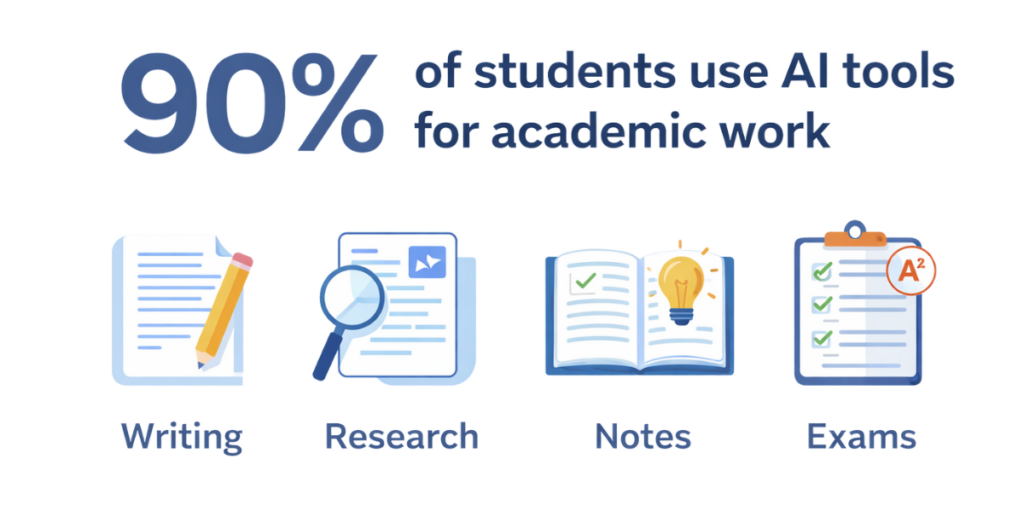
Here is the reality no one talks about openly: 90 percent of students now use AI tools for academic work, and nearly one-third rely on them daily, according to the Copyleaks 2025 AI in Education Trends Report. The tools exist. The question is no longer whether to use them — it is which ones actually deliver results and which ones will get you flagged by your professor.
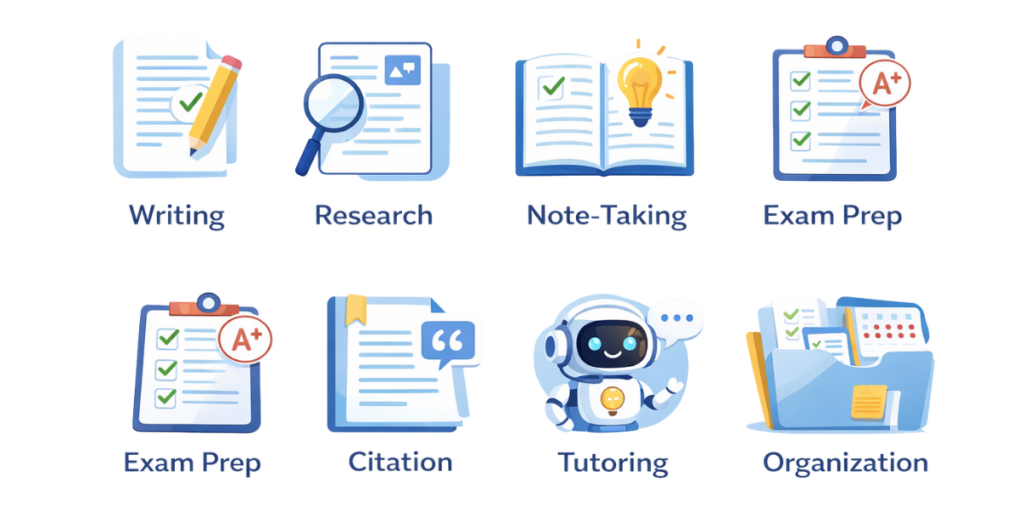
This guide solves that exact problem. We have reviewed, tested, and ranked the best AI tools for students across every major academic category: writing, research, note-taking, exam preparation, citation management, tutoring, and time organization. Every tool on this list is either free or offers a meaningful free tier, and every recommendation prioritizes ethical use and academic integrity.
Whether you are a high school student juggling AP classes, a college sophomore drowning in essays, a graduate student chasing a dissertation deadline, or an international student navigating coursework in a second language — this is the only guide you need to build a personalized AI study stack that actually works.
Why AI Study Tools Have Become Essential for Students in 2026
Table of Contents
- 1 Why AI Study Tools Have Become Essential for Students in 2026
- 2 Using AI Ethically: The Rule Every Student Must Understand Before Picking a Tool
- 3 The 17 Best AI Tools for Students, Ranked by Category
- 4 Category 1: AI Writing Assistant Tools
- 5 Category 2: AI Research Tools
- 6 Category 3: AI Note-Taking Tools
- 7 Category 4: AI Exam Preparation Tools
- 8 Category 5: AI Citation and Reference Management Tools
- 9 Category 6: AI Tutoring Tools
- 10 Category 7: AI Organization and Productivity Tools
- 11 Quick Comparison: All 17 Tools at a Glance
- 12 How to Build Your Personal AI Study Stack
- 13 A Real Week in the Life: How an AI Study Stack Changes Everything
- 14 Three Common Mistakes Students Make With AI Tools (And How to Avoid Them)
- 15 The Bottom Line: Work Smarter, Not Harder
AI tools for students are not a trend. They are an infrastructure shift in how academic work gets done. The difference between students who use AI strategically and those who ignore it is growing measurably, and it shows up directly in grades, time management, and stress levels.
Consider the typical pain points that students face every single semester:
Overwhelming coursework that compounds week after week, leaving no room for deep understanding.
Hours spent on tasks — formatting citations, summarizing readings, editing drafts — that could be automated in seconds.
Difficulty grasping complex topics without a tutor available at 2 AM when the studying actually happens.
Fear of accidentally crossing the line into academic dishonesty, which paralyzes productive AI use entirely.
AI study tools address each of these problems directly. They do not replace your thinking — they amplify it. A well-chosen AI tool turns a four-hour research session into a ninety-minute focused sprint. It does not write your essay for you; it helps you organize your argument, catch weak transitions, and identify gaps in your reasoning before your professor does.
Using AI Ethically: The Rule Every Student Must Understand Before Picking a Tool
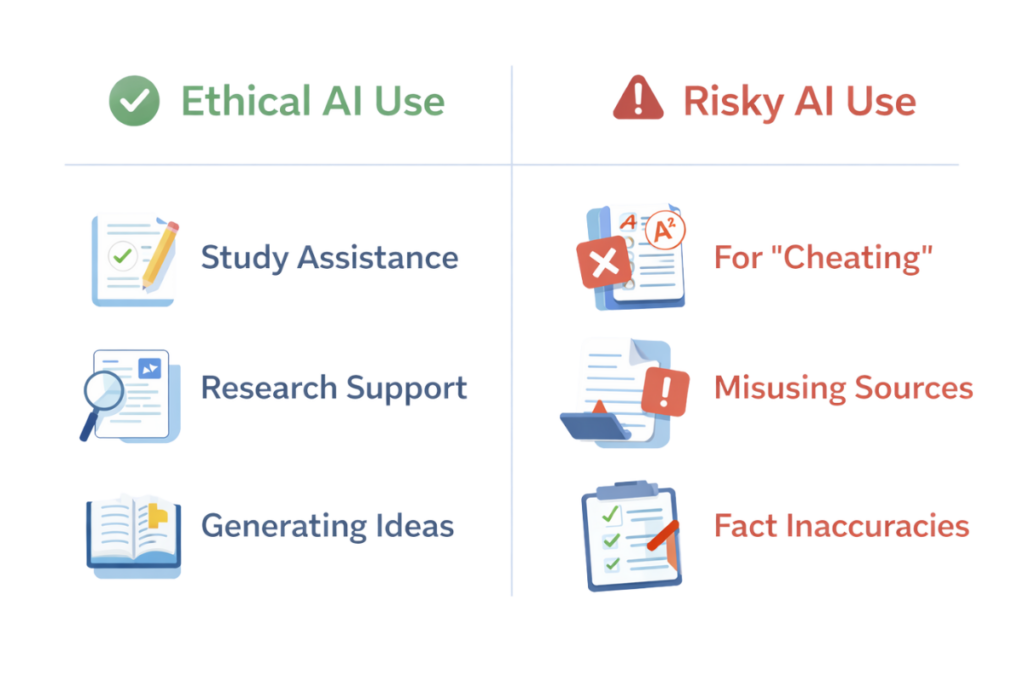
Before we get into specific tools, there is one concept that separates students who thrive with AI from students who get into trouble with it. The concept is simple: AI should be a thinking partner, not a ghostwriter.
Here is why this matters right now. 68 percent of teachers now use AI detection tools to screen student submissions, a 30-percentage-point increase in just one year. AI detection tools have matured significantly. The newer generation claims accuracy rates above 99.9 percent with very low false-positive rates. If you submit fully AI-generated work, the odds of getting caught are real and rising.
But the bigger risk is not detection — it is learning loss. 67 percent of students believe AI proficiency will enhance their employability, according to Turnitin research. That belief is correct. But AI proficiency means knowing how to use these tools to sharpen your own skills, not to replace them. Students who outsource their thinking to AI tools entirely will graduate with credentials and without the competence those credentials are supposed to represent.
The ethical framework is straightforward:
Use AI to brainstorm, outline, summarize, and review — not to generate final submissions from scratch.
Always read, understand, and verify everything an AI tool produces before including it in your work.
Disclose AI use when your professor or institution requires it. Transparency is never penalized; undisclosed use often is.
Treat AI output as a rough draft that your critical thinking must refine, not as a finished product.
Every tool recommendation in this guide is framed within these boundaries. Academic integrity is not optional — it is the foundation everything else is built on.
The 17 Best AI Tools for Students, Ranked by Category
We organized these tools into seven functional categories that map directly to the tasks students struggle with most. Each tool is evaluated on three criteria: depth of AI capability, availability of free access, and real-world usefulness for academic work. Within each category, tools are ranked from most versatile to most specialized.
Category 1: AI Writing Assistant Tools
Writing is where most students burn the most time and feel the most anxious. These AI tools for studying do not write your papers. They make the writing process dramatically faster and more effective by catching errors, suggesting improvements, and helping you communicate your ideas with precision.
1. Grammarly — The Gold Standard for AI Writing Feedback
Grammarly is not just a spell checker. Its AI engine analyzes your writing for tone, clarity, sentence structure, and audience appropriateness in real time. For students writing formal academic papers, Grammarly’s ability to flag passive voice, awkward phrasing, and vocabulary choices that do not match the expected academic register is genuinely useful.
Real use case: A sophomore writing a comparative literature essay pastes each paragraph into Grammarly before finalizing. The tool flags three instances of passive construction and suggests active alternatives. The final draft reads with more authority — and the grade reflects it.
Free tier: Yes — grammar and spelling corrections are unlimited. Premium features require a paid plan.
Best for: Essays, research papers, email correspondence, and any formal written submission.
2. QuillBot — Paraphrasing Without Losing Meaning
QuillBot specializes in paraphrasing, which is one of the most misused AI capabilities in academic settings. When used correctly — to rephrase a source you have already understood and cited — it becomes an invaluable tool for integrating outside material into your own voice.
Real use case: A student reads a dense journal article, understands the core argument, and uses QuillBot to help rephrase a key finding in their own words before citing it properly. The result is original in structure while remaining accurate to the source.
Free tier: Yes — basic paraphrasing with one mode is free.
Best for: Research papers where source integration is a major component.
Category 2: AI Research Tools
Finding credible, relevant sources used to take hours of library database searching. AI research tools have compressed that timeline dramatically while maintaining academic rigor — a combination that no previous generation of student had access to.
3. Elicit — AI-Powered Academic Literature Search
Elicit searches across academic databases and returns summarized findings from real, peer-reviewed papers. It does not hallucinate sources — a critical distinction from general-purpose chatbots. Each result links to the original paper, and Elicit can extract key claims, methodologies, and conclusions automatically.
Real use case: A graduate student researching the effects of sleep deprivation on memory asks Elicit to find studies on the topic. Within seconds, it surfaces five relevant papers with summaries, saving what would otherwise be a three-hour database crawl.
Free tier: Yes — limited queries per month.
Best for: Research essays, literature reviews, and annotated bibliographies.
4. Consensus — Evidence-Based Answers from Scientific Literature
Consensus takes a specific question and synthesizes answers from thousands of published studies. Instead of returning links, it tells you what the research actually says — with confidence levels and source attribution. This makes it particularly powerful for science, psychology, and health-related coursework.
Free tier: Yes — basic searches are available without a paid plan.
Best for: Science-heavy subjects, health research, and any assignment requiring evidence-based argumentation.
5. Perplexity — A Search Engine That Cites Its Sources
Perplexity combines the conversational ability of AI chatbots with the source-citing discipline of a research tool. Every statement it makes is backed by a visible citation. For students who need to find information quickly but also need to verify credibility, Perplexity occupies a unique middle ground.
Free tier: Yes — unlimited basic searches.
Best for: General research, fact-checking, and building reference lists for papers.
Category 3: AI Note-Taking Tools
The single biggest shift in student productivity over the past two years has been in note-taking. AI note-taking tools have made it possible to attend a lecture and walk out with structured, searchable, summarized notes — without writing a single word during class. This frees up cognitive bandwidth for the actual act of learning.
6. Otter.ai — Real-Time Lecture Transcription
Otter.ai records lectures, interviews, and group discussions and produces a live transcript with automatic speaker identification. After the session ends, it generates a summary with key points highlighted. For students in lecture-heavy courses, this tool effectively eliminates the tension between note-taking and active listening.
Real use case: A student in a two-hour biochemistry lecture runs Otter.ai on their laptop. After class, they review the AI-generated summary, identify three concepts they need to revisit, and focus their study session entirely on those gaps.
Free tier: Yes — 300 minutes of transcription per month.
Best for: Lecture-heavy courses, group study sessions, and interview preparation.
7. Notion AI — Smart Notes That Think With You
Notion is a productivity platform, but its AI layer transforms it into something far more valuable for students. You can ask Notion AI to summarize your notes, generate study guides from raw lecture content, create outlines for papers, and even draft task lists based on upcoming deadlines. Notion is free for students with an .edu email address.
Free tier: Yes — full Notion Personal Pro is free for students with a school email.
Best for: Students who want one central hub for notes, tasks, research, and planning.
8. Google NotebookLM — AI That Learns From Your Specific Sources
NotebookLM is one of the most underrated AI tools available to students today. Unlike general chatbots that draw from the entire internet, NotebookLM operates exclusively within the documents you upload. You can feed it your lecture slides, textbook chapters, and research papers, and then ask it questions — knowing that every answer comes directly from your own source material.
Real use case: A student uploads five chapters from their biology textbook and asks NotebookLM to explain the relationship between cellular respiration and photosynthesis using only the uploaded material. The answer is accurate, specific, and directly tied to the content they need to master.
Free tier: Yes — completely free through a Google account.
Best for: Exam preparation, deep comprehension of specific coursework, and self-testing.
Category 4: AI Exam Preparation Tools
Studying passively — reading notes and hoping information sticks — is one of the least effective learning methods known to education research. Active recall and spaced repetition are the methods that actually build long-term memory, and AI exam preparation tools have made both of these techniques easier to implement than ever before.
9. Quizlet — AI-Powered Flashcards and Adaptive Study Modes
Quizlet has been a student study tool for years, but its AI upgrade changes the game. The platform now generates flashcards automatically from text you paste in, adapts to the concepts you struggle with most, and offers multiple study modes including matching, fill-in-the-blank, and timed tests. The AI algorithm tracks your weak points and surfaces them more frequently.
Free tier: Yes — core features including AI-generated flashcards are available for free.
Best for: Vocabulary-heavy subjects, terminology memorization, and any course where recall is tested directly.
10. ChatGPT — The Most Versatile AI Tool for Exam Preparation
ChatGPT earns its place on this list not because it is the best at any single task, but because of its range. For exam preparation specifically, it can generate practice questions at any difficulty level, explain concepts in plain language, create study guides from topic lists, and simulate the kind of critical thinking a professor might expect on a written exam.
Real use case: A student studying for a history final types: ‘Generate five essay-style questions about the causes of World War I at an undergraduate level, then provide a brief outline for answering each one.’ ChatGPT produces a targeted study session in under thirty seconds.
Free tier: Yes — the base model (GPT-3.5 equivalent capabilities) is free to use.
Best for: Multi-subject exam prep, concept explanation, and generating practice material on demand.
11. Photomath — AI That Shows Its Work in Math
For STEM students, Photomath solves equations step by step — not just giving the answer, but showing every stage of the solution process. This is critical for learning, because understanding the method matters far more than getting the final number. The app works by taking a photo of a handwritten or printed problem.
Free tier: Yes — basic step-by-step solutions are free.
Best for: Algebra, calculus, trigonometry, and any math-heavy subject.
Category 5: AI Citation and Reference Management Tools
Incorrect citations are one of the most common reasons students lose marks on research papers. Citation errors are also one of the easiest mistakes to eliminate entirely with the right tool, which makes this category one of the highest-value additions to any student’s workflow.
12. Mendeley — Research Organization and Citation in One Place
Mendeley combines a research paper library with an AI-powered citation generator. You can save papers, organize them by subject or project, highlight and annotate within the tool, and generate citations in any format your professor requires — APA, MLA, Chicago, and dozens of others — with a single click.
Free tier: Yes — unlimited citations and 2 GB of cloud storage.
Best for: Research-heavy students, graduate students, and anyone managing a large number of sources across multiple projects.
13. Zotero — The Open-Source Citation Manager
Zotero automatically detects and saves citation information from any webpage, database, or digital library you visit. It stores the full metadata and generates formatted references instantly. As an open-source tool, it has no hidden costs and no data monetization concerns — a relevant factor for students who are cautious about where their academic data goes.
Free tier: Yes — entirely free with 300 MB of storage included.
Best for: Students who value privacy, use multiple browsers, and need a reliable citation system without paying for one.
Category 6: AI Tutoring Tools
Traditional tutoring requires scheduling, availability, and often significant cost. AI tutoring tools operate at midnight, adapt to your learning pace, and are largely free. For students who struggle to understand concepts in class or who need extra time with difficult material, AI tutoring has become a genuine equalizer in academic performance.
14. Khan Academy’s Khanmigo — The AI Tutor That Guides, Not Gives
Khanmigo is built on the principle that the best tutors do not hand you answers — they ask questions that lead you to the answer yourself. This Socratic approach means Khanmigo will push back if you try to shortcut the process. It covers subjects from algebra to essay writing, and it tracks your progress over time so that each session builds on the last.
Real use case: A high school student stuck on a calculus concept at 11 PM opens Khanmigo and works through the problem interactively. Instead of simply providing the solution, the tool guides them through the reasoning with targeted questions until they arrive at the answer independently — a skill-building moment that passive study cannot replicate.
Free tier: Limited — Khan Academy offers free access to some Khanmigo features for students.
Best for: Students who want to genuinely understand material, not just memorize it.
15. Wolfram Alpha — The Computational Engine for STEM
Wolfram Alpha is not a tutor in the traditional sense, but for STEM students it functions as one. It solves complex mathematical, scientific, and engineering problems with full step-by-step explanations. Beyond math, it handles unit conversions, statistical analysis, chemistry equations, and physics calculations — making it indispensable for technical coursework.
Free tier: Yes — core computational features are free.
Best for: Physics, chemistry, engineering, statistics, and advanced mathematics.
Category 7: AI Organization and Productivity Tools
The best AI tools in the world will not improve your grades if you cannot keep track of what is due, when it is due, and what stage of completion each project is at. These tools solve the organizational layer that holds everything else together.
16. Microsoft Copilot — AI Built Into the Tools You Already Use
Microsoft Copilot integrates AI directly into Word, Excel, PowerPoint, and Outlook. For students who are already using Microsoft Office for assignments, Copilot can summarize documents, draft email responses, create presentation outlines, and analyze data in spreadsheets — all without leaving the application. The integration is seamless and reduces the friction of switching between tools.
Free tier: Yes — Microsoft Copilot is available in free versions of Microsoft 365 web apps.
Best for: Students who use Microsoft products daily and want AI assistance without adding new software.
17. Google Gemini — AI Across Every Google Product
Google has integrated its Gemini AI across Gmail, Google Docs, Slides, and Drive. For students already working within the Google ecosystem — which includes most students using school-issued Google Workspace accounts — Gemini provides AI-powered writing assistance, document summarization, and presentation creation without any additional tools. Google is also offering free Google AI Pro access to eligible college students for one full year.
Free tier: Yes — Gemini is available through free Google accounts and school-issued Workspace accounts.
Best for: Students whose schools provide Google Workspace, and anyone looking for a free, integrated AI productivity layer.
Quick Comparison: All 17 Tools at a Glance
| Tool | Category | Free Tier | Best For |
| Grammarly | Writing | Yes | Essays & formal writing |
| QuillBot | Writing | Yes (basic) | Paraphrasing & sourcing |
| Elicit | Research | Yes (limited) | Academic literature |
| Consensus | Research | Yes | Science research |
| Perplexity | Research | Yes | Source-cited searches |
| Otter.ai | Note-Taking | Yes (300 min) | Lecture transcription |
| Notion AI | Note-Taking | Yes (students) | Central study hub |
| NotebookLM | Note-Taking | Yes | Source-specific Q&A |
| Quizlet | Exam Prep | Yes | Flashcards & recall |
| ChatGPT | Exam Prep | Yes | Versatile study partner |
| Photomath | Exam Prep | Yes | Step-by-step math |
| Mendeley | Citation | Yes | Research management |
| Zotero | Citation | Yes | Privacy-first citations |
| Khanmigo | Tutoring | Limited | Guided concept learning |
| Wolfram Alpha | Tutoring | Yes | STEM problem-solving |
| MS Copilot | Organization | Yes | Office integration |
| Google Gemini | Organization | Yes | Google ecosystem AI |
How to Build Your Personal AI Study Stack
You do not need all seventeen tools. In fact, trying to use too many tools at once is itself a productivity killer. The goal is to identify two to four tools that map directly to your biggest academic pain points and integrate them into your existing workflow.
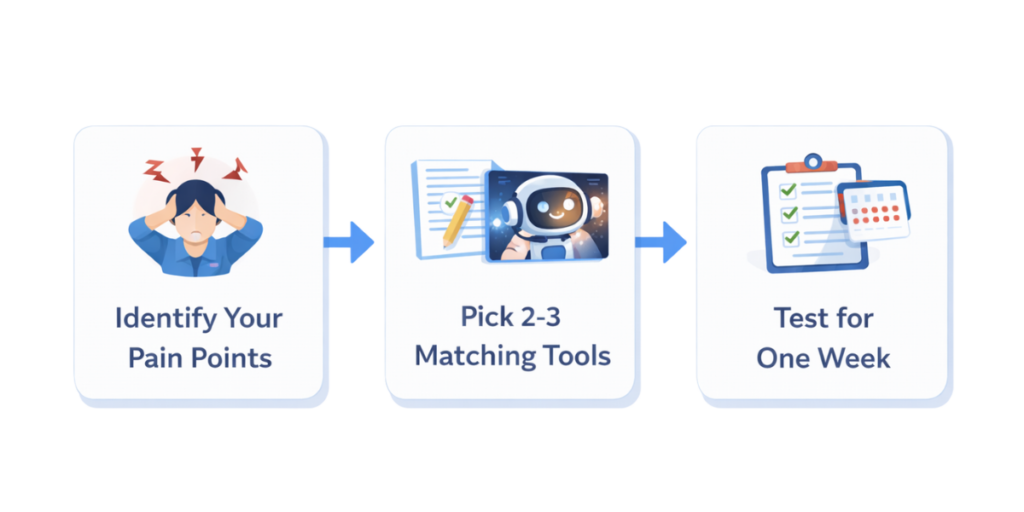
Step 1: Identify Where You Lose the Most Time
Track your study sessions for one week. Note where you spend more than thirty minutes on a single task. Writing and editing? Research and source-finding? Understanding a concept? The pattern will be obvious.
Step 2: Match Tools to Those Specific Gaps
If writing is your bottleneck, start with Grammarly and QuillBot. If research is where you stall, add Elicit or Perplexity. If you struggle to retain information from lectures, Otter.ai and Quizlet together create a powerful active-recall loop: transcribe the lecture, then convert key points into flashcards for spaced repetition.
Step 3: Test Each Tool for Exactly One Week
Commit to using each new tool consistently for seven days before judging its value. AI tools require a learning curve — the first session with any of them will feel awkward. By day four or five, the workflow becomes natural, and the time savings become visible.
Step 4: Audit and Adjust Each Semester
Your academic challenges change every semester. A tool that was essential during a research-heavy semester may be unnecessary during an exam-focused one. Revisit your AI study stack at the start of each term and adjust accordingly.
A Real Week in the Life: How an AI Study Stack Changes Everything
Here is how a single student might use multiple tools from this list across one academic week — not as a hypothetical, but as a practical walkthrough of what an optimized AI-assisted study workflow actually looks like:
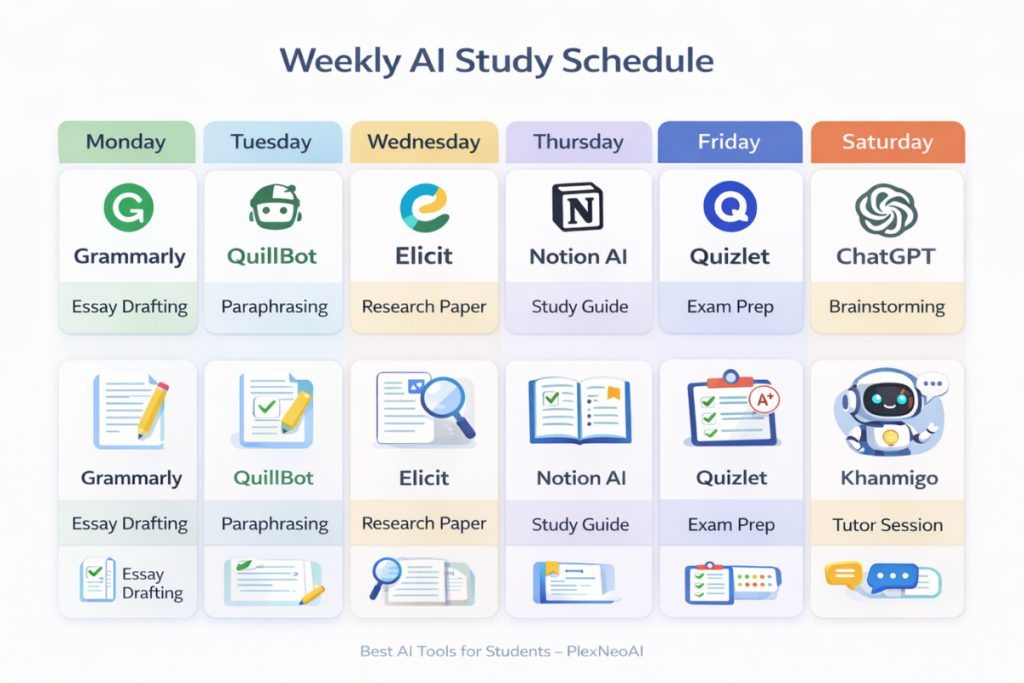
Monday: A new research paper is assigned. The student uses Elicit to find five relevant academic sources in fifteen minutes, saves them all to Mendeley, and generates a preliminary citation list.
Tuesday: Lecture day. Otter.ai runs in the background, transcribing the professor’s explanation of a complex topic. After class, the student asks NotebookLM to summarize the lecture notes and identify the three key takeaways.
Wednesday: Writing day. The student drafts the paper using their own analysis of the sources from Monday, then runs each paragraph through Grammarly for tone and clarity feedback before finalizing.
Thursday: Exam prep for a different course. The student pastes their lecture notes into Quizlet, which auto-generates flashcards. They study using spaced repetition for forty-five minutes — a session that would have taken two hours with manual flashcard creation.
Friday: Final review. The student asks ChatGPT to generate three practice questions on the research paper topic at exam difficulty, writes answers, and uses them as a self-check before submission.
The total time saved across this week: roughly four hours. The quality of every deliverable improved. And the student learned more deeply because the AI tools handled the mechanical work, freeing mental energy for critical thinking.
Three Common Mistakes Students Make With AI Tools (And How to Avoid Them)
Mistake 1: Using AI as a Replacement for Understanding
Asking ChatGPT to write your entire essay and submitting it as your own work is not studying — it is academic fraud, and detection tools are catching it at an accelerating rate. The purpose of every tool on this list is to support your learning process, not substitute for it.
Mistake 2: Trusting AI Output Without Verification
AI tools hallucinate. They generate plausible-sounding information that is factually wrong. This is especially dangerous in research contexts. Always verify citations against original sources, and never include a fact in an academic submission that you have not independently confirmed.
Mistake 3: Ignoring Your Institution’s AI Policy
Policies vary dramatically from school to school and from professor to professor. Some instructors welcome AI-assisted research. Others prohibit any AI use entirely. Check the syllabus before every assignment. When in doubt, ask. Transparency is always the safest strategy.
The Bottom Line: Work Smarter, Not Harder
The best AI tools for students are not the flashiest or the most talked-about — they are the ones that solve your specific problems without creating new ones. The seventeen tools in this guide cover every major category of academic work: writing, research, note-taking, exam preparation, citation management, tutoring, and productivity. Every one of them is free or offers meaningful free access. Every one of them is designed to amplify your thinking, not replace it.
The students who will succeed in an AI-saturated academic environment are not the ones who avoid these tools out of fear or the ones who rely on them out of laziness. They are the ones who learn to use AI strategically, ethically, and deliberately — building a personalized study stack that saves time, sharpens skills, and produces consistently better academic work.
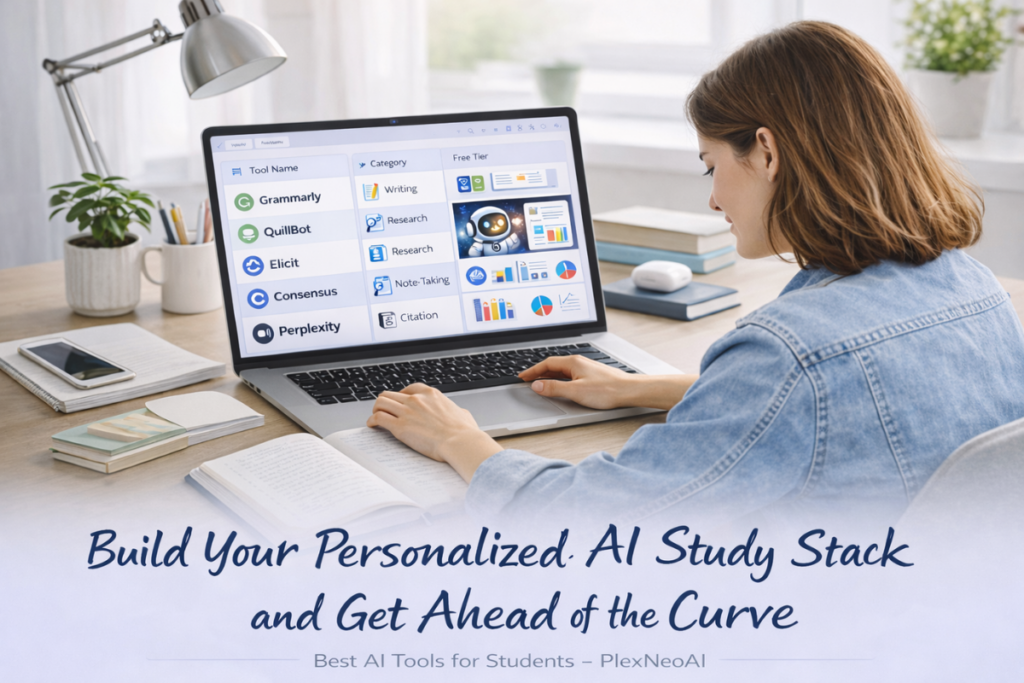
Start building your personalized AI study stack today to save time, study smarter, and improve academic performance — without risking academic integrity.
Bookmark this guide. Return to it at the start of every semester. And share it with every student you know who is still doing everything the hard way.